NASPRO

NASPRO free development-tool | adapter by NASPRO development team

NASPRO is a free development tool and adapter LV2, DSSI, Ladspa plugin developed by NASPRO development team. Compatible OS(s): Linux.

NASPRO is meant to be a cross-platform sound processing software architecture built around the LV2 plug-in standard.

The goal of the project is to develop a series of tools to make it easy and convenient to use LV2 for sound processing on any (relevant) platform and for everybody: end users, host developers, plugin developers, distributors and scientists/researchers.

This release is a total redesign/rewrite that more or less re-implements the features of the previous release, but in a much cleaner and maintainable way.

It includes:

  • NASPRO core: the portable runtime library at the bottom of the architecture.
  • NASPRO Bridge it: a little helper library to develop insert-your-API-here to LV2 bridges.
  • NASPRO bridges: a collection of bridges to LV2 which, once installed, allow you to use plug-ins developed for other plugin standards in LV2 hosts. In particular, the NASPRO bridges collection includes two bridges: a LADSPA 1.1 and a DSSI 1.0.0/1.1.0 bridge.

All of the code is released under the LGPL 2.1 license.

More information is available on the project’s website.

http://naspro.atheme.org/

Mverb

Mverb free reverb by Martin Eastwood Audio

Mverb is a free reverb VST, Audio Unit, Ladspa plugin developed by Martin Eastwood Audio. Compatible OS(s): Windows, macOS, Linux.

MVerb is a free, studio quality, open-source reverb. Its release is intended to provide a practical demonstration of Dattorro’s figure-of-eight reverb structure and provide the open source community with a high quality reverb.

http://rekkerd.org/martin-eastwood-audio-free-plugins/

Malefica

Malefica free saturation | overdrive by Evil Sound Lab

Malefica is a free saturation and overdrive VST, Ladspa plugin developed by Evil Sound Lab. Compatible OS(s): Windows 64b, Linux.

Malefica is a virtual high-gain distortion guitar pedal based on original schematic.

Let us tell you how we created Malefica:

Malefica Formulae
First of all we have analyzed circuits of ton of guitar pedals to design the darkest, most evil and mystic tone with unique character that would fit a wide range of extreme music genres.
After that, we have made its physical model on the tip of the pen and prepared it with most precise and modern mathematical algorithms.
Finally, our designer has added magical artwork, and that is it! Witchery is alive.

Features:

  • common output level (alias “Evil” in the plug-in), tone (“Witch”), dist (“Mist”) and bypass controls;
  • 3 modes switch for the different sound colour;
  • 3 modes switch for the different clipping character;
  • additional tweak controls: pre-gain and focus frequency of tone control;
  • stereo/mono modes switch;
  • 8x oversampling switch for an extra high precision.

Installation Notes:

For Windows:

  1. Download plug-in archive;
  2. Unzip needed plug-in version directory from archive into your VST plug-ins directory (e.g. C:Program Files (x86)SteinbergVstplugins for 32-bit version or C:Program FilesSteinbergVstplugins for 64-bit version);
  3. (important) Download and install Oracle Java SE Runtime Environment 8 (or higher, x86 version for 32-bit plug-in version and x64 version for 64-bit plug-in version).
    You can found it by the link.
    We strongly recommend to download Online or Offline package versions (not just .tar.gz archive) (e.g. Windows x86 Online/Offline, Windows x64 Online/Offline), because they prepare necessary environment variables (PATH and JAVA_HOME);
  4. Rescan VST plug-ins directory in your DAW;
  5. Enjoy!

For Linux (without GUI):

  1. Download plug-in archive;
  2. Unzip content archive into your VST plug-ins directory (e.g. /usr/vstplugins/);
  3. (important) Download Oracle Java SE Runtime Environment 8 (x86 version). You can found it by the link. We strongly recommend to download Linux x86 *.tar.gz version;
  4. Extract downloaded Oracle JRE:
    sudo tar -xvf jre-8u111-linux-i586.tar.gz -C /usr/java
  5. Edit home .bashrc to export variables:
    export JAVA_HOME=/usr/java/jre1.8.0_111/
    export LD_LIBRARY_PATH=$LD_LIBRARY_PATH:$JAVA_HOME/lib/:$JAVA_HOME/lib/i386/:$JAVA_HOME/lib/i386/client/
    source ~/.bashrc.
  6. Perform installation in plug-in directory:
    sudo -s
    /bin/bash install.sh.
  7. Rescan VST plug-ins directory in your DAW;
  8. Enjoy.

Note: All commands and directories listed above – just for example, use on your own risk!

User Guide
Please click on [HELP] button in the left corner of Malefica window to get Controls Help.

Change Log
1.0.0 Initial version.

1.0.1 Next bugs was fixed:

  • Traction 5 opens empty window plug-in (with nothing in it) and freezes;
  • Only left channel works in mono mode;
  • Cracking noise during rotation of the Volume (Evil) knob.

Outroduction
Thanks for reading up to this point and for using Malefica plug-in!
We hope that you will enjoy using it.

http://www.evilsoundlab.com/

LSP Verzögerungsausgleicher – Delay Compensator plugin series

LSP Verzögerungsausgleicher - Delay Compensator plugin series free delay by Linux Studio Plugins Project

LSP Verzögerungsausgleicher – Delay Compensator plugin series is a free delay Stand Alone, VST, LV2, Ladspa plugin developed by Linux Studio Plugins Project. Compatible OS(s): Linux.

These plugin serues allows to add short delay to audio channel to compensate the phase offset relatively to other channels. The main idea is to add some delay of the signal recorded by set of microphones placed at different positions and distances from the sound source. Because the speed of the sound is low (about 340 m/s), the signal from the sources placed on different position comes with different delays. When the receivers are placed on the different distances, the signal comes with different delays to them. So the final mix of the recorded tracks can sound muddy or, on the contrary, very thick. Note that even 1 centimeter of the difference can take the negative effect. To avoid this, you can add more delay to the receivers placed near the source and less delay to the receivers placed far from the source. These plugin series help to do this in three ways. In conjunction with LSP Phasendetektor you can very fast phase your sources.

Available plugins in series:

  • LSP Verzögerungsausgleicher Mono – Delay Compensator Mono.
  • LSP Verzögerungsausgleicher Stereo – Delay Compensator Stereo.
  • LSP Verzögerungsausgleicher x2 Stereo – Delay Compensator x2 Stereo.

http://lsp-plug.in/

LSP Spektrumanalysator – Spectrum Analyzer plugin series

LSP Spektrumanalysator - Spectrum Analyzer plugin series free spectrum-analyzer by Linux Studio Plugins Project

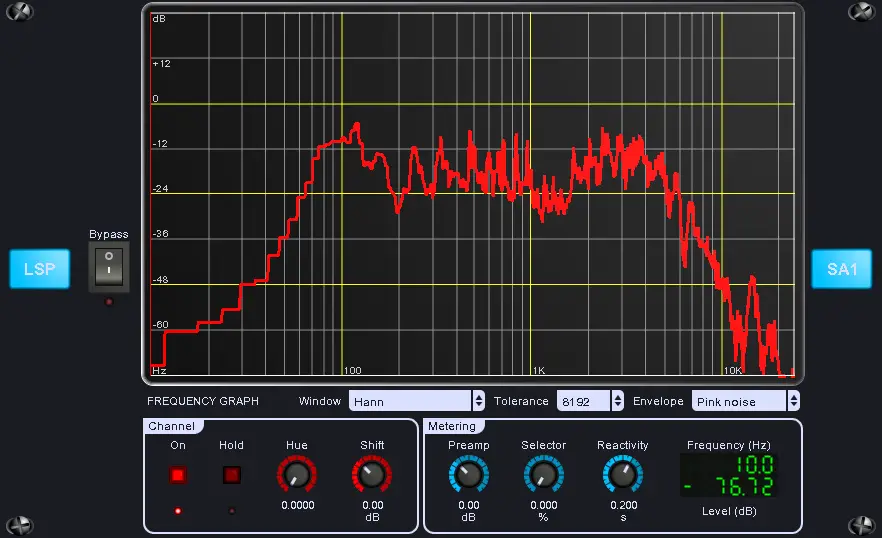
LSP Spektrumanalysator – Spectrum Analyzer plugin series is a free spectrum analyzer VST, LV2, Ladspa plugin developed by Linux Studio Plugins Project. Compatible OS(s): Linux.

This plugin performs spectral analysis of 16 independent channels simultaneously. It does not affect any changes on the input signal, so can be placed anywhere where the metering is needed.

{See video at top of page}

http://lsp-plug.in/

LSP Slap-back Delay – Slapback Delay plugin series

LSP Slap-back Delay - Slapback Delay plugin series free delay by Linux Studio Plugins Project

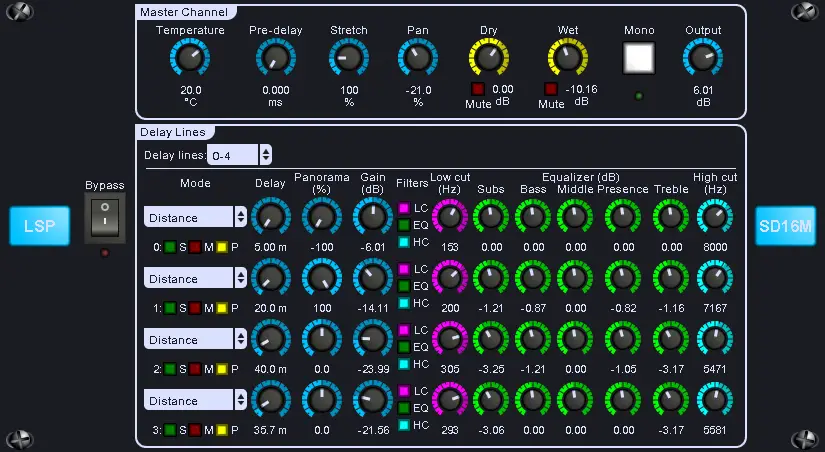
LSP Slap-back Delay – Slapback Delay plugin series is a free delay VST, LV2, Ladspa plugin developed by Linux Studio Plugins Project. Compatible OS(s): Linux.

This plugin allows to add set of short delays of the original signal to the output mix. Each delay can be used to simulate the early reflections of the signal from walls. This allows to make the stereo image of the original signal wider, and the position of the source more definitive in the mix. Equalizers provided for each delay line allow to simulate the fading of the original signal. Every delay can be set in both time and distance units. Also common pre-delay and time-stretching mechanisms are provided to allow the stereo image to change dynamically.

Remember that for more realistic picture the more delay is the more low and high frequencies are cut from the delayed signal.

{See video at top of page}

http://lsp-plug.in/

LSP Phasendetektor – Phase Detector

LSP Phasendetektor - Phase Detector free other-utility by Linux Studio Plugins Project

LSP Phasendetektor – Phase Detector is a free audio and studio utility Stand Alone, VST, LV2, Ladspa plugin developed by Linux Studio Plugins Project. Compatible OS(s): Linux.

This plugin allows to detect phase between two sources. For example, for two or more microphones set at the different positions and distances from the sound source.

The internal algorithm is based on correlation function calculation between two sources.

Be aware: because there are many correlation functions for different phases calculated at one time, the entire analyzing process can take a lot of CPU resources. You can also reduce CPU utilization by lowering the maximum analysis time.

The plugin bypasses input signal without any modifications, so it can be placed everywhere it’s needed.

http://lsp-plug.in/

LSP Parametrischer Entzerrer – Parametric Equalizer plugin series

LSP Parametrischer Entzerrer - Parametric Equalizer plugin series free eq by Linux Studio Plugins Project

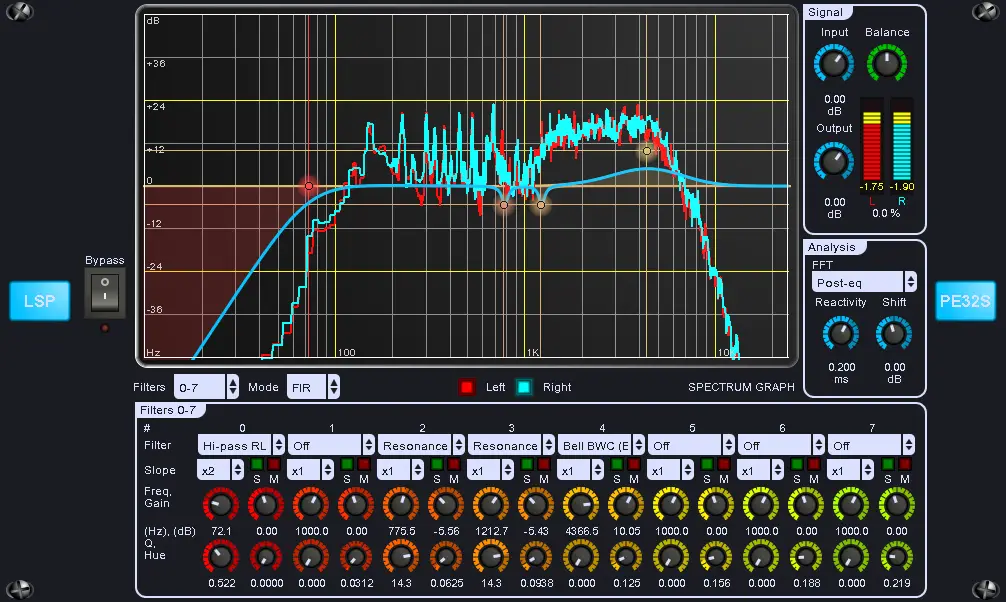
LSP Parametrischer Entzerrer – Parametric Equalizer plugin series is a free equalizer VST, LV2, Ladspa plugin developed by Linux Studio Plugins Project. Compatible OS(s): Linux.

This plugin performs parameteric equalization of input signal. Configurations with 16 and 32 filters are available for signal processing simultaneously.

http://lsp-plug.in/

LSP Latency Meter plugin

LSP Latency Meter plugin free other-utility by Linux Studio Plugins Project

LSP Latency Meter plugin is a free audio and studio utility VST, LV2, Ladspa plugin developed by Linux Studio Plugins Project. Compatible OS(s): Linux.

A simple plugin that allows to measure the latency of a transmission line by using chirp – inverse filter convolution. Latency is determined as the lag of the convolution peak.

To measure the latency, first connect output of the plugin to the input of the transmission line. Then connect the output of the transmission line to the input of the plugin. Then you’re ready to press the Measure button. The plugin will generate short chirp signal on the output and await the response on the input. If the signal will be captured and detected on the input of the plugin, it will display the overall latency value.

http://lsp-plug.in/

LSP Kompressor – Compressor plugin series

LSP Kompressor - Compressor plugin series free compressor by Linux Studio Plugins Project

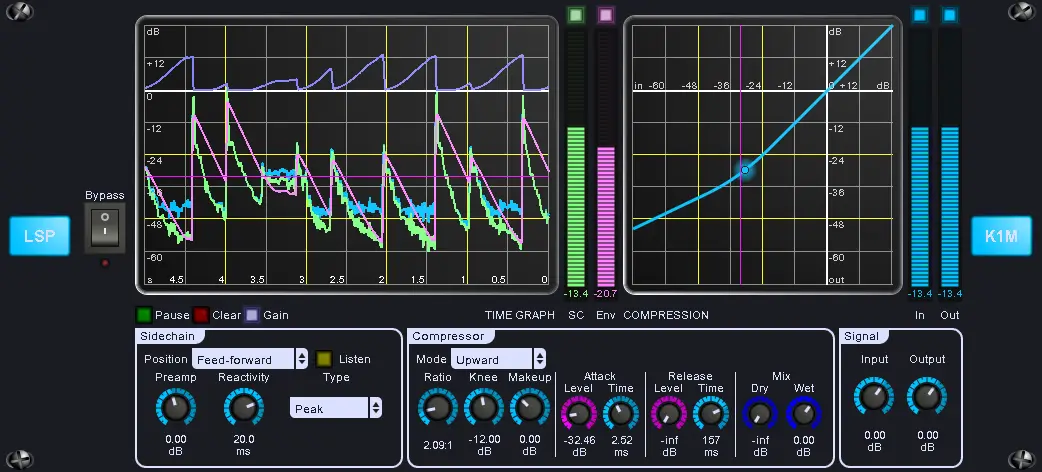
LSP Kompressor – Compressor plugin series is a free compressor VST, LV2, Ladspa plugin developed by Linux Studio Plugins Project. Compatible OS(s): Linux.

This plugin performs compression of stereo input signal. Flexible sidechain-control configuration and additional sidechain inputs are provided. Different types of compression are possible: downward, upward and parallel. Also compressor may work as limiter in Peak mode with high Ratio and low Attack time.

http://lsp-plug.in/